You do not write a Google Shopping ad. There is no headline box, no keyword list, nowhere to be clever.
Google builds the ad out of your product feed: the title, the photo, the price, and a set of attributes most jewelry stores have never opened. So the feed is not paperwork you get through on the way to the advertising. The feed is the ad. And most jewelry feeds were not written by anybody. They were exported.
That is how a store ends up paying to show a ring called “The Eleanor,” with a watermark across the diamond, to people who were searching for something else. Google Shopping ads for jewelry stores live or die on the feed, and this is how to fix yours before you spend a dollar on it.
Shopping ads are part of Google Ads, run from the same account as your Search campaigns, but Google says they use your product data, not keywords, to decide where they show. So the product title is doing a keyword’s job: lead with what a shopper types (the piece, the stone, the metal, the size) and put the pet name last. Google allows 150 characters. Fill in the attributes jewelry stores skip: product category, color, material, gender and age group. For custom, estate and one-of-a-kind pieces with no barcode, do not invent one; Google has a setting for products with no identifier. Use clean photos with no watermark, logo, text or border, and check them against Google’s new 500 by 500 pixel minimum, enforced from January 31, 2027. Keep the price and availability identical to the product page. Then start on a standard Shopping campaign, add negative keywords weekly, and judge it against the orders in your store.
IWhy the feed is the ad.
Shopping is not a separate channel from Google Ads. It is a campaign type inside Google Ads, built and paid for in the same account as your Search campaigns, with your product data supplied through Merchant Center. What makes it different is how it decides who sees it.
Google’s own description is one sentence, and it changes how you should think about these campaigns: Shopping ads use your Merchant Center product data, “not keywords,” to decide how and where your ads show.
Read that again. In a Search campaign you choose the words you want to appear for. In Shopping you do not get a vote. Google reads your product data and decides what each piece is and who should see it. If the data says “The Eleanor, a timeless treasure,” Google’s guess at who wants it is about as good as a stranger’s would be.
When it works, it is a strong format for jewelry. The shopper sees the photo and the price before they click, sitting beside other stores’ photos and prices. It is a lineup. Nobody clicks a four-thousand-dollar ring by accident, so the click you pay for (Shopping campaigns charge per click) is from a person who saw the number first and kept going.
When it does not work, the instinct is to change the bids. The bids are almost never the problem. Shopping performance is a feed problem that looks like a campaign problem.
IIThe title: your product name is not a search term.
The title is the most important line in the feed, because it is doing the job a keyword does everywhere else.
Jewelry has a habit that works beautifully in a showroom and terribly in a feed: naming the pieces. The Eleanor. Celestial Whisper. Midnight in Capri. Lovely names. Nobody has ever opened Google and typed one of them. They typed “oval diamond engagement ring yellow gold.” As far as a search engine can tell, Celestial Whisper is a scented candle.
So write the title the way people search, and put the pet name last. A made-up example:
- Before: The Eleanor
- After: Oval Diamond Engagement Ring in 14k Yellow Gold, 1.5 ct, Hidden Halo, The Eleanor
What it is, the stone, the metal, the size, the detail that sets it apart, then the name. We put the words a shopper would type first, and the name stays, at the end, where it does no harm.
Google’s product data specification allows up to 150 characters and sets two rules worth knowing. No promotional text and no all capitals, so “FREE SHIPPING!!!” is out. And the title should accurately describe the product and match the title on your landing page. That last one is a polite way of saying: fix the product page too. It needs the same words for the same reason, and so does every other system that reads your site.
IIIThe attributes jewelry stores skip.
After the title, Google reads the attributes. This is where an exported feed is thinnest and where a jeweler has the most to say.
- Product category. Google keeps a category list, and jewelry has its own branch: rings, necklaces, earrings, bracelets, watches, charms and pendants. Leave it blank and Google assigns one automatically. Do not make it guess. (Google files a four-carat diamond ring under Apparel & Accessories, a few shelves along from belts. Do not take it personally.)
- Color. For jewelry that means the metal color and the stone color. “Yellow gold,” not “gold-ish.”
- Material. 14k gold, platinum, sterling silver. People search by it, and it is how Google tells your variants apart.
- Gender and age group. Google’s specification requires these, along with color, for free listings on everything in Apparel & Accessories, which is where jewelry lives.
- Description. Up to 5,000 characters, and Google’s instruction is to include only information about the product. “Timeless elegance meets modern sophistication” describes every ring ever made and most hotel lobbies. Carat weight, cut, clarity, certification, dimensions, setting style, how long it takes to make: that is information.
None of this is creative work. It is data entry, which is exactly why it never gets done, and exactly why doing it puts you ahead of most of the stores in the lineup beside you.
IVOne-of-a-kind pieces: the barcode you do not have.
Google loves a barcode. Its specification says a GTIN, the number printed under a barcode, is strongly recommended whenever one exists, because it lets Google match your listing to a known product.
If you carry designer lines or watch brands, those pieces have GTINs. Use them. Leaving them out throws away the easiest win in the feed.
But a great deal of fine jewelry has no barcode and never will. The custom ring. The estate piece. The one-of-one from your own bench. For those, Google has an attribute called identifier exists, which you set to “no,” and its documentation names the cases outright: custom goods, one-of-a-kind products, vintage products and antiques. That is most of an independent jeweler’s most interesting inventory, with a documented way through.
Two ways to get it wrong. Do not invent a barcode to fill the box. And do not mark “no” on a piece that really has one, because Google’s documentation says those products get a warning when it finds evidence the identifier exists. “I made up a barcode” is not an argument you win against a robot.
VPhotos and prices: the ways Google says no.
Two things get a jewelry listing rejected that have nothing to do with advertising skill.
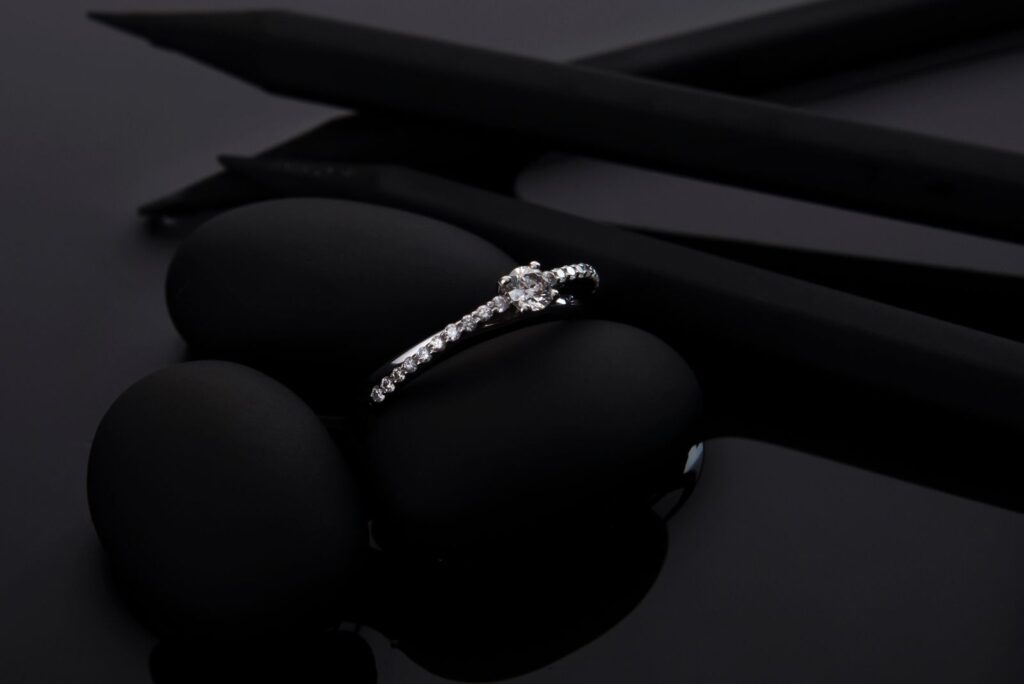
The photo. Google’s rule is that the image must offer “an unobstructed, clean view of the item for sale.” Its image requirements rule out overlays, watermarks, logos added afterwards, promotional text and borders. Jewelers watermark photos to stop them being lifted, which is understandable. But a watermark across the stone protects the photo from thieves and from customers at the same time. Keep the watermarked version for social and give the feed a clean one.
Google has also announced a new minimum size: at least 500 by 500 pixels for every product image, with enforcement beginning January 31, 2027, and it recommends around 1,500 by 1,500 for best results. If the catalog was photographed years ago at whatever size the old website wanted, check it now, not in January.
The price. The price in the feed has to match the price on the product page and at checkout, and availability has to match too. Google checks the page. Say a ring is $4,200 in the feed and $4,650 on the site, because somebody updated one and not the other after gold moved. That is a mismatch, and Google’s own guidance is that a product with a price mismatch may be disapproved. If your prices move with the metal, the feed has to move with them automatically, or it will always be a day behind and a listing short.
VIRunning it: start with the version you can see.
Once the feed is right, the campaign is the simple part.
Start with a standard Shopping campaign. You set the bids, you can see the searches that triggered your products, and you can act on them. Performance Max runs across all of Google’s channels from one campaign, which means more of the decisions are Google’s. It has its place once you know what your feed can do. Learn on the version you can see.
Use negative keywords. There are no keywords to bid on in Shopping, but Google’s documentation is clear that negative keywords still work there, to stop your products appearing for searches you do not want. Open the search terms weekly. If your fine pieces are showing for “costume,” “cheap” or “under $50,” say no.
Pick your fights. Shopping puts your piece and your price beside everybody else’s. On a plain gold chain or a standard solitaire, that is a price lineup against stores with more buying power than you. On the pieces only you have, your own designs, estate and antique, a designer nobody else in the region carries, there is no lineup. Lead with those.
Count the orders, not the dashboard. Google’s reported return leans toward online checkout. A jeweler who closes in the showroom, or across a custom consultation, will usually look worse in the dashboard than in the bank. Reconcile against what the store actually sold.
And the work pays more than once. The same product data, the titles, the attributes, the photos, is what Meta’s catalog ads and every other feed-driven channel read. Fix it once and every one of them gets smarter.
VIISelf-diagnostic: who wrote your feed?
The Shopping feed diagnostic.
- Who wrote your product feed: a person, or an export button?
- Read your top ten product titles aloud. Would a stranger know what each piece is without the photo?
- Do the titles lead with what a shopper types, or with the name of the piece?
- Is the Google product category set on every product, down to rings, necklaces or earrings?
- Are color, material, gender and age group filled in?
- Do your designer and watch pieces carry their GTINs?
- Are custom and one-of-a-kind pieces marked as having no identifier, rather than given an invented one?
- Is there a watermark, logo, border or text on any main product photo?
- Is every main image at least 500 by 500 pixels?
- When a price changes on the site, how long before the feed changes?
If 1 is “an export button” and 3 is “the name”, you are not running Shopping ads. You are paying Google to guess.
Straight answers
Do Google Shopping ads work for jewelry stores?
They can, and the result depends mostly on the product feed. Shopping shows your piece, photo and price beside other stores’ before anyone clicks, so it rewards accurate titles, complete attributes and clean images, and it works best on pieces that are distinctive rather than on commodity items where the comparison is purely price. For a store whose value is custom work and in-person service, measure it against real orders, because platform reporting leans toward online checkout.
How do Google Shopping ads decide when to show my jewelry?
From your product data. Google’s own description is that Shopping ads use your Merchant Center product data, not keywords, to decide how and where to show your ads. That means the title, product category, attributes such as color and material, the image and the price are what Google reads to work out what a piece is and which searches it fits. You cannot choose keywords, so improving the feed is how you change which searches you appear for.
How should I write product titles for jewelry on Google Shopping?
Lead with the words a shopper would type and put the piece’s name last: the type of piece, the stone, the metal, the size or carat weight, then the distinguishing detail. Google allows up to 150 characters, asks for no promotional text or all capitals, and says the title should accurately describe the product and match the title on the landing page. A title that is only a collection name tells Google nothing about what is for sale.
Do I need a GTIN for custom or one-of-a-kind jewelry?
No. Google strongly recommends a GTIN when one exists, so use it for designer lines and watch brands. For pieces that have none, Google provides the identifier exists attribute, set to no, and its documentation lists custom goods, one-of-a-kind products, vintage products and antiques as examples. Do not invent an identifier, and do not set the attribute to no for a product that has one, because Google warns on products where it finds evidence an identifier exists.
What image size does Google Shopping require?
Google has announced a minimum of 500 by 500 pixels for all product images, with enforcement beginning January 31, 2027, and recommends around 1,500 by 1,500 pixels for best performance. The main image must give a clean, unobstructed view of the item, with no watermarks, overlays, logos added afterwards, promotional text or borders.
Should a jewelry store use Performance Max or standard Shopping?
Start with standard Shopping. It lets you set bids and see and act on the searches that triggered your products, which is how you learn what the feed can do. Performance Max runs across all of Google’s channels from a single campaign and leaves more of the decisions to Google. Add it deliberately once the feed is sound and you have a baseline to compare it against.
Can I use keywords in a Google Shopping campaign?
Not to target, only to exclude. Shopping campaigns do not use keywords to decide where ads show, but Google’s documentation confirms that negative keywords work in Shopping campaigns to stop products appearing for searches you do not want. Review the search terms regularly and add negatives for irrelevant or low-value queries.
This is part of our fine-jewelry operating series. For the Search side of the same Google Ads account, see Google Ads for jewelry stores: the narrow playbook that works. For where Google sits in the order of things, see Facebook ads vs Google ads: where a jeweler’s first dollar goes. For the product pages those ads land on, see fine jewelry website design.
Open the feed. Read the titles out loud. Put the searchable words first and the pet name last. Fill in the attributes. Take the watermark off. Make the prices agree. If you want an operator who fixes the feed before spending the budget, see how we run Google Shopping for jewelry stores or email info@endicodatastrategic.com directly. The founder reads every inquiry within one business day.
Want an operator running this instead of reading about it?
The founder is on every account, and we do not work with two jewelers in the same trade area. No binding contracts, and you own everything: the ad account, the pixel, the creative, the audiences.
Book a strategy call →