
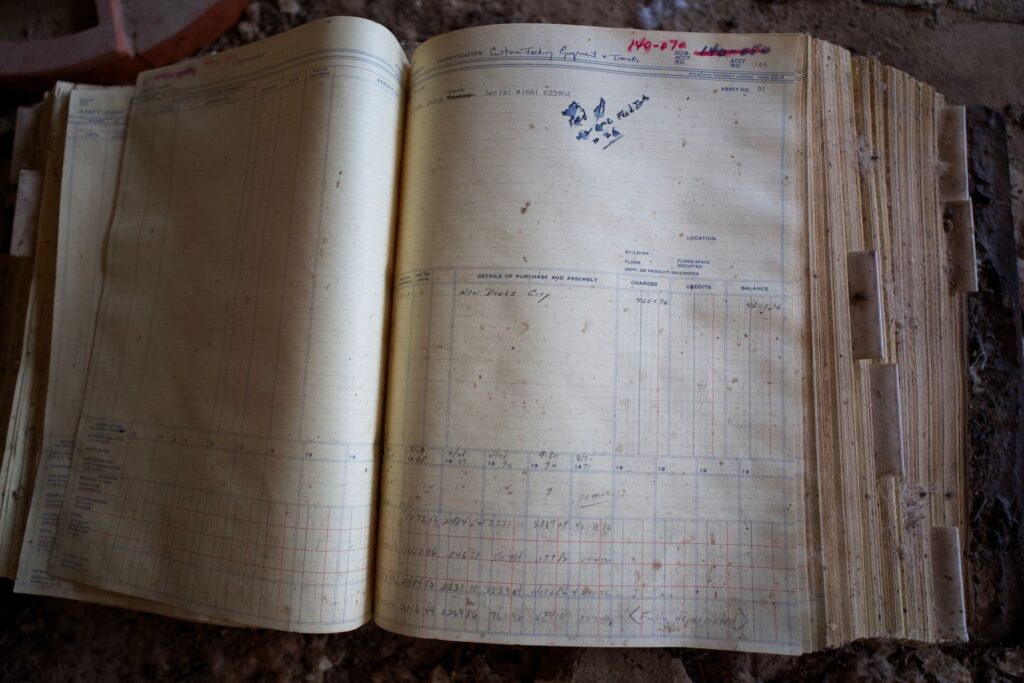
Not maliciously. Your dashboard is not out to get you. It is just reporting what it saw, and it did not see everything, and some of what it did see it saw twice.
Those are the two ways Meta tracking goes wrong for a jewelry store, and they pull in opposite directions. The pixel undercounts. A badly set up Conversions API overcounts. Most stores fixed the first problem by turning something on in Shopify, and quietly created the second one in the same afternoon. The second one is worse, because a number that is too high looks exactly like advertising that works.
The browser pixel misses real sales because of ad blockers and browser privacy settings, so your ads look worse than they are. The Conversions API sends purchases from your server as well, which recovers most of that. But if the same purchase arrives from both places without a matching event ID and event name, Meta counts it twice, and your ads now look better than they are. Match those two fields and Meta counts each sale once. Then make the upgrade almost nobody makes: tell Meta which buyers are new, so it can learn to find more of them instead of reselling to people who were coming back anyway. And prove it works from Meta’s own response and your store’s own order count, never from the fact that nothing errored.
IWhy the pixel misses your sales.
The pixel is a piece of code that runs in your customer’s browser and tells Meta “a purchase just happened here.” It was a perfectly good idea in a world where browsers did what they were told.
Browsers no longer do what they are told. Ad blockers stop the pixel loading. Privacy settings in Safari and elsewhere limit what it can see and how long it can remember anyone. Phone-level privacy prompts mean a large share of people have told apps not to track them. Each of those means a real person bought a real ring and the pixel never told Meta.
So the dashboard shows fewer sales than the till. Your ads look less profitable than they are. And here is the part that actually costs money: Meta learns from what it is told, and it was not told about those buyers. It cannot find more people like a customer it never heard about. You are not just under-reporting. You are teaching the system with a partial answer key.
IIWhat the Conversions API actually does.
The Conversions API is the second route. Instead of relying only on the customer’s browser, your store’s server tells Meta about the purchase directly, from your side, where no ad blocker or privacy setting can stop it.
That recovers most of what the pixel loses. And because the server can include better information about the buyer, typically their email and phone in a scrambled form, Meta can match the purchase to an actual person more often, which makes its learning better as well as its counting.
On Shopify this is usually a setting in Meta’s sales channel app, and it takes about four minutes to switch on. Which is exactly why so many stores switched it on and never looked at it again. Turning it on is not the hard part. Making sure each sale gets counted once is the hard part, and the toggle does not do that for you if anything else in your setup is also sending purchases.
IIIDeduplication: the part everybody breaks.
Here is the problem with having two routes. Now the same purchase can arrive twice: once from the browser, once from the server. Meta has to work out that they are the same sale.
Meta’s own developer documentation is specific about how. It pairs the two copies when two fields match exactly: the event ID and the event name. Same purchase, same ID from both the browser and the server, same event name. If either field is missing or different, Meta treats them as two separate purchases and counts both. It will also only pair them inside a 48-hour window, and when both copies arrive within a few minutes of each other, it keeps the browser one.
The ID can be anything unique. For a purchase, the order number is the obvious choice, because it already exists, it is unique, and both routes can see it.
What happens when it is wrong? Call it the doubled dashboard. Every sale shows up twice. Your cost per purchase halves overnight. Your return on ad spend doubles. Somebody, possibly an agency, possibly you, takes a screenshot and sends it round with a rocket emoji. Nothing about the business changed except that the counting broke in your favour, and you are now making budget decisions on a number that is fiction.
It is very hard to notice from the inside, because nobody investigates good news. One count per sale. If your reported purchases are higher than the orders in your store for the same period, the counting is broken, and it is broken in the direction that feels nice.
IVThe match-quality score, and what it does not tell you.
Meta gives you an Event Match Quality score, out of ten, for how well the customer information you send can be matched to real people. More information, sent in the right format, scores higher. Emails and click identifiers tend to do most of the work.
It is a useful number and it is very easy to misread. Two things it does not tell you, and both of them matter more than the score:
It does not tell you whether the information is accurate. A score measures whether the fields are present and correctly formatted. It cannot know whether the email belongs to the buyer or to a staff member who typed their own into the till.
It does not tell you whether you are double counting. You can have a beautiful match-quality score and every sale counted twice. The score is about matching people, not about counting purchases. Treat a high score as “the plumbing is connected,” not “the water is clean.”
VThe upgrade almost nobody makes: tell Meta who is new.
This is the part of tracking that actually changes how your ads perform, and it is where nearly every jewelry account stops short.
Meta optimizes toward whatever event you tell it matters. Tell it “purchase,” and it learns to find people who purchase, which sounds right until you notice who purchases most reliably: your existing customers. People who already know you, already trust you, were already coming back. Meta will happily spend your budget finding them, report a lovely return, and acquire almost nobody new.
So we split it. Every purchase is checked against the customer’s order history. A first purchase goes to Meta as a new-customer event. A repeat purchase goes as a returning-customer event. Now you can see, in Meta’s own numbers, how many genuinely new buyers the ads produced, and you can stop crediting your advertising for loyalty you earned some other way.
Three rules make this work, and they come from getting it wrong first:
- Every real new customer fires. The count has to reconcile with your store’s own order records, or it is not a measurement, it is an opinion.
- Zero-value orders are the one exception. A comped piece, a gift, a hundred-percent discount code: none of those go in. A $0 purchase event teaches Meta to go and find more $0 buyers, and it will.
- Do not raise that threshold to filter for “good” buyers. It is tempting to only send new customers above some value, so Meta chases bigger spenders. That turns a headcount into a guess and breaks the reconciliation. Keep the count honest; decide what to optimize for separately.
Underneath it is the whole thesis of how we run advertising. The first sale is the least profitable one. Ads acquire. Retention compounds. Your tracking should be able to tell the difference between the two, or it will keep congratulating you for selling to people who already loved you.
VIHow to know it actually works.
The most dangerous moment in any tracking setup is when nothing errors. Silence is not success. Three checks, in order:
- Ask Meta, not your code. When an event is sent, Meta’s response says how many events it received. That is proof of delivery. “The request did not fail” is not.
- Reconcile against the store. Take a week. Count real orders in Shopify, count purchases Meta reports for the same week. Close enough is fine; double is broken; half is a pixel problem. Your store’s order records are the truth. The dashboard is a witness.
- Be patient with new events. Meta’s statistics screens can lag badly when you introduce a new custom event like a new-customer purchase. Events can be accepted and invisible in the reporting for a while. Check the delivery response before you conclude it is broken.
If any of that sounds like a lot, it is about an afternoon. Then you spend the rest of the year making decisions on numbers that are true, which, in a category where every ad decision is a four-figure bet, is the cheapest afternoon you will buy.
VIISelf-diagnostic: can you trust your own numbers?
The tracking diagnostic.
- Is the Conversions API switched on, and do you know who switched it on and when?
- For last week, how many orders does Shopify show, and how many purchases does Meta report?
- Is Meta’s number roughly equal, roughly half, or roughly double?
- Do your browser and server purchase events send the same event ID for the same order?
- Is anything else also sending purchase events, a second app, a theme script, an old integration?
- What is your Event Match Quality score for purchases, and do you know what it does not measure?
- Can you see, in Meta, how many of last month’s buyers were new versus returning?
- Are zero-value orders, comps, gifts, full-discount codes, being sent to Meta as purchases?
- When your return on ad spend jumped, did the business change, or did the counting?
- Has anybody confirmed delivery from Meta’s own response, or only that nothing errored?
If 3 is “double”, stop reading reports until it is fixed. Every decision you make on that number is a decision made on fiction.
Straight answers
Do I need the Meta Conversions API for a jewelry store?
If you are running Meta ads with any seriousness, yes. The browser pixel alone misses real purchases because of ad blockers and browser privacy settings, which makes your ads look worse than they are and, more importantly, means Meta learns from an incomplete set of buyers. The Conversions API sends purchases from your server as well, which recovers most of that. The catch is that it has to be set up so each sale is still counted once.
Why is Meta reporting more purchases than I actually have?
Almost always because the same purchase is arriving from both the browser pixel and the Conversions API without being matched as the same sale. Meta pairs the two copies only when the event ID and the event name match exactly, and only within a 48-hour window. If either field is missing or different, it counts both. A quick test: compare a week of real orders in your store against Meta’s reported purchases. If Meta’s number is close to double, your deduplication is broken.
What is event deduplication in Facebook ads?
The process Meta uses to recognise that a purchase reported by the browser pixel and the same purchase reported by your server are one sale, not two. According to Meta’s developer documentation, it works by matching the event ID and the event name between the two copies, inside a 48-hour window. The order number is a sensible event ID for a purchase because it is unique and both routes can see it.
What is a good Event Match Quality score?
Higher is better, and email addresses and click identifiers tend to move it most. But read it for what it is: a measure of whether the customer information you send is present and correctly formatted. It does not tell you whether that information is accurate, and it does not tell you whether you are counting each purchase once. A store can have an excellent score and still be double counting every sale.
Should I track new customers separately from returning customers in Meta?
We do, on every account where it is possible, because it is the difference between measuring acquisition and measuring loyalty. Optimizing for plain purchases tends to drift toward your existing customers, who buy most reliably and were often coming back anyway. Sending first purchases as a new-customer event and repeat purchases as a returning-customer event shows you how many genuinely new buyers the ads produced, and stops the advertising taking credit for relationships you built elsewhere.
Should zero-dollar orders be sent to Meta as purchases?
No. Comped pieces, gifts and full-discount codes are real orders but not real purchases, and a zero-value purchase event teaches Meta to find more people who pay nothing. Exclude those and send every other real purchase. Resist the opposite temptation too: do not filter the new-customer event to only high-value buyers, because that turns an honest headcount you can reconcile against your store into a number nobody can check.
How do I know my Conversions API setup is working?
Check delivery from Meta’s own response, which reports how many events it received, rather than assuming success because nothing errored. Then reconcile a week of purchases in Meta against the real orders in your store. And allow for lag: Meta’s reporting screens can take a while to show a newly introduced custom event, so confirm delivery before deciding something is broken.
This is part of our fine-jewelry operating series. For the diagnostic order when ads are running and not producing, which puts tracking second for exactly this reason, see why your jewelry store’s Meta ads are not producing sales. For what to show once you can trust the numbers, see jewelry ad creative that actually stops the scroll.
Count the orders. Count Meta’s purchases. Make them agree. Then tell Meta which buyers are new, and stop thanking the ads for customers who already loved you. If you want an operator who sets this up and proves it from the order book, see how we work or email info@endicodatastrategic.com directly. The founder reads every inquiry within one business day.
Want an operator running this instead of reading about it?
The founder is on every account, and we do not work with two jewelers in the same trade area. No binding contracts, and you own everything: the ad account, the pixel, the creative, the audiences.
Book a strategy call →